Pixel Activity Tracker
A local-first Windows activity tracker that uses AI to understand how you spend time on your computer, recognize workflows, and turn everyday desktop activity into meaningful productivity insights.
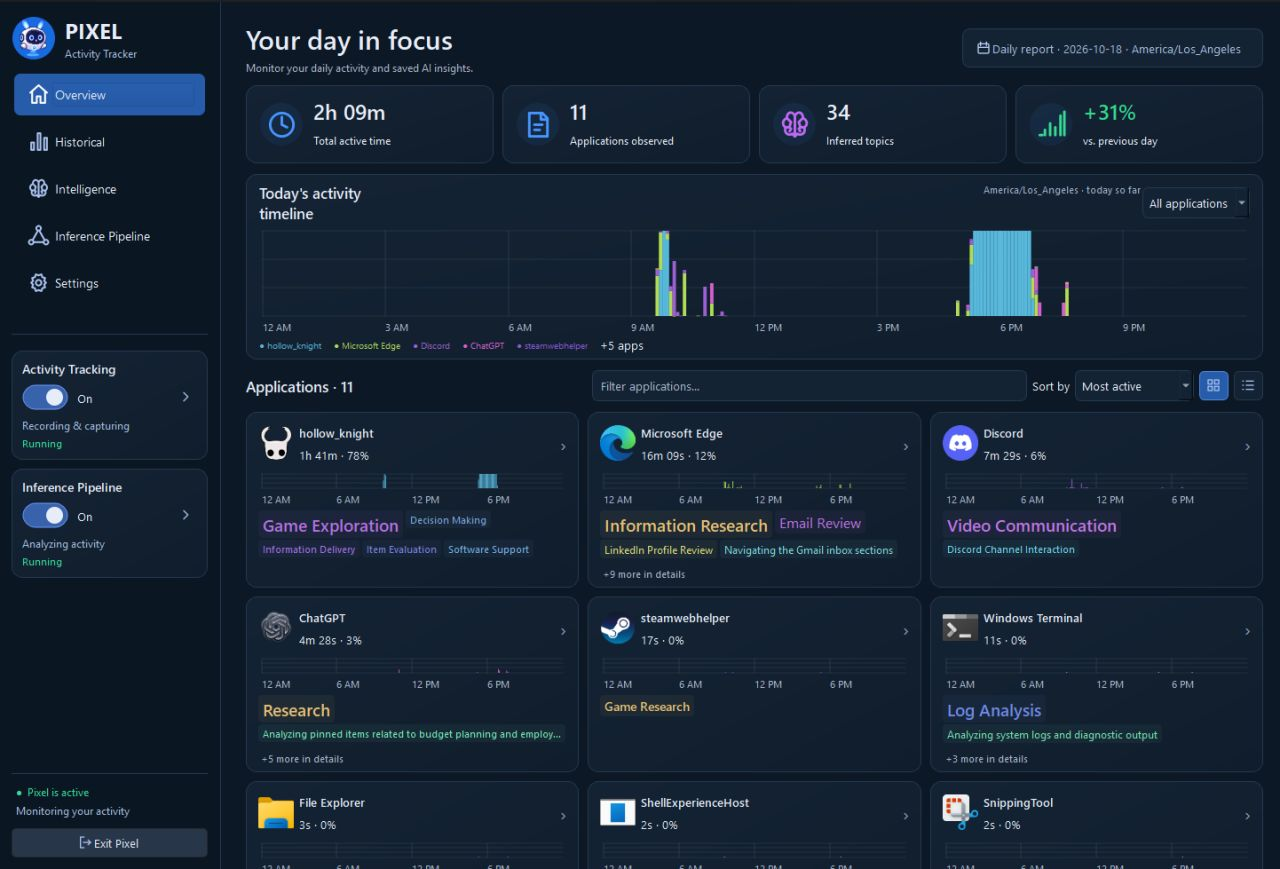
Summary
Pixel is an AI-powered desktop activity tracker built with Python, PySide6, and SQLite. Instead of simply measuring how long an application remains open, Pixel attempts to understand what you're actually doing.
Using locally hosted vision and language models through Ollama, Pixel observes desktop windows, identifies activities, and organizes them into meaningful timelines. From programming and debugging to research and general browsing, the application builds a detailed picture of how work happens throughout the day.
The project also includes an interactive desktop companion, historical dashboards, and an inference pipeline designed to process activity entirely on the user's computer.
Problem Solved
Traditional time trackers measure application usage but often lack the context needed to understand actual work. Spending three hours in a web browser could mean programming, researching, watching videos, or switching between several unrelated tasks. I wanted to build something that could recognize these differences automatically, without requiring constant manual timers or activity labels. Pixel uses local AI inference to interpret desktop activity, identify patterns, and generate useful summaries while keeping personal activity data on the user's machine.
Key Features
- AI Activity Recognition: Local vision and language models interpret window contents to identify tasks and workflows.
- Multi-Monitor Tracking: Observes application and window activity across multiple displays, accounting for foreground and visible background windows.
- Detailed Activity Labels: Generates descriptive activity labels and groups semantically similar activities using vector embeddings.
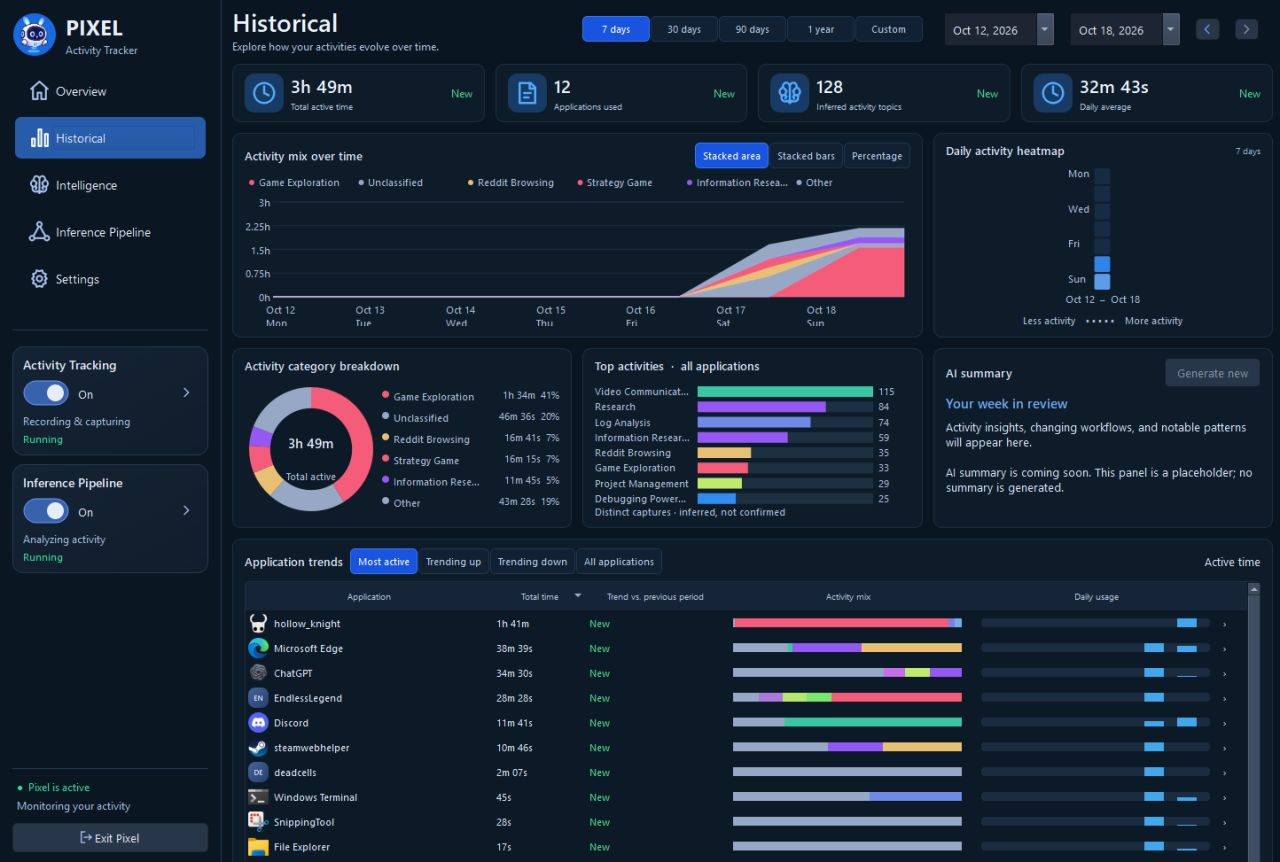
- Activity Timelines: Organizes observations into 15-minute blocks for daily and historical activity reporting.
- Inference Pipeline: Queues AI processing tasks to manage local computing resources and track inference progress.
- Activity Summarization: Aggregates observations into higher-level descriptions of work sessions and productivity patterns.
- Desktop Companion: An interactive pixel-art character designed to reflect recent activity and make tracking more engaging.
Architecture Notes
Analytics & Screenshots
What I Learned
- →Local LLMs can replace significant amounts of custom classification logic. I originally explored training a neural network to recognize activities, but found that multimodal language models could interpret a much broader range of desktop contexts without extensive labeled training data.
- →Database normalization matters even for personal desktop applications. During early testing, repetitive activity labels contributed to rapid database growth. Moving labels into normalized tables with hashed references reduced database size from approximately 140 MB to 120 MB.
- →AI inference requires careful resource management. Running multiple local models creates competition for GPU and memory resources. A coordinated inference queue helps control execution, track progress, and prevent expensive inference tasks from interfering with one another.
Future Improvements
- +Behavioral Pattern Discovery: Identify recurring work habits, productivity patterns, and relationships between different activities.
- +Smarter Desktop Companion: Expand Pixel's animated character and virtual room with activity-aware animations and contextual interactions.
- +Improved Activity Intelligence: Refine semantic clustering, long-term topic recognition, and automatic project identification.
- +Performance Optimization: Reduce inference latency, improve scheduling, and explore smaller specialized models for common activity recognition tasks.