Price Chant
An appraisal comp research workflow built with Laravel and Inertia.js. Find comparable listings with Google and AI search, capture them with a browser extension, and turn webpage content into structured asset data.
Summary
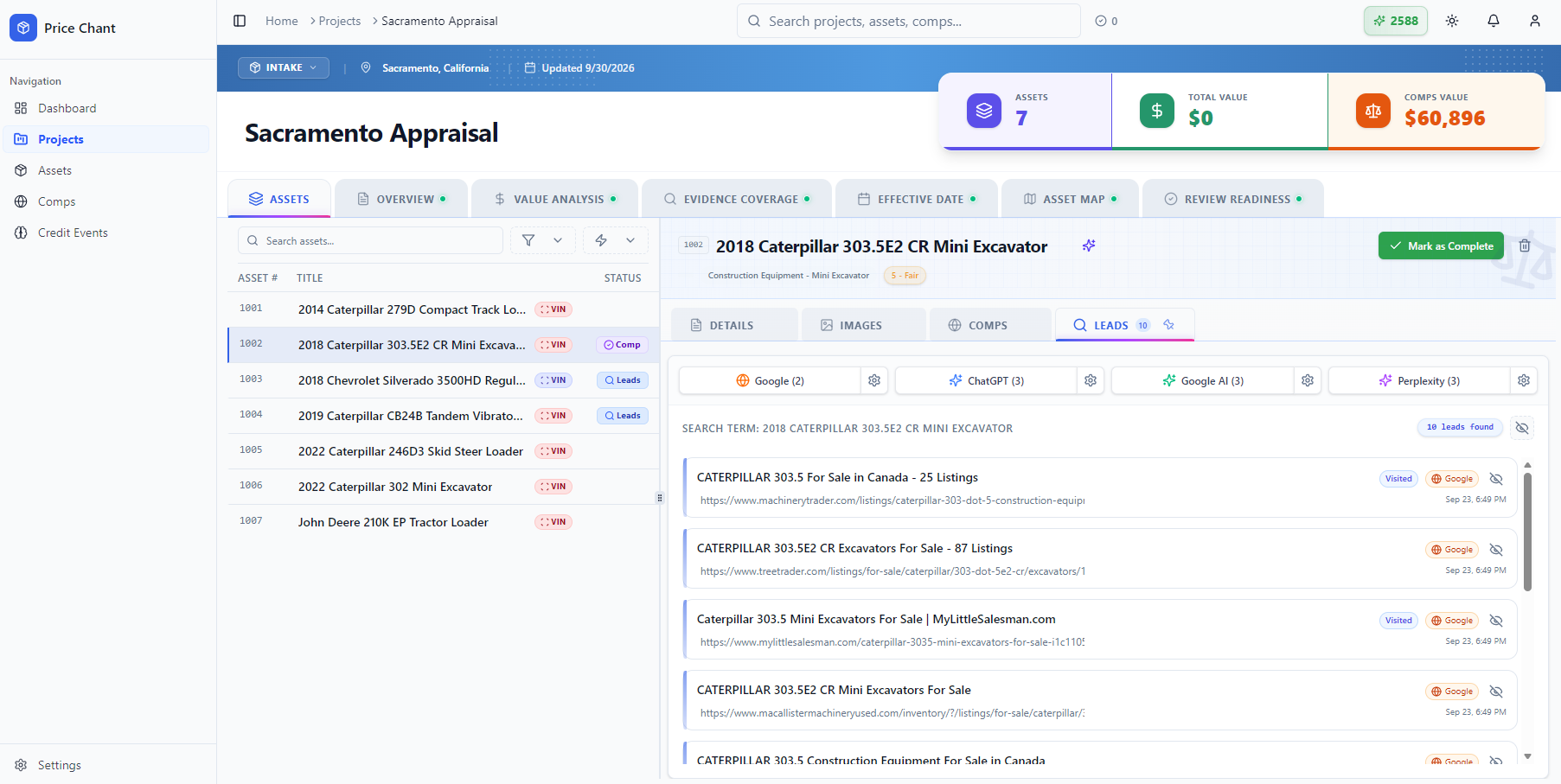
I built Price Chant to help appraisers move from a catalog of subject assets to organized comparable research. Developed with Laravel and Inertia.js, the application connects asset management, Google and AI search, browser capture, and structured data extraction in one workflow.
The process is simple: choose a subject asset in the web app, search for potential comps, and open a useful listing. The Price Chant browser extension captures the source page and associates the comp with the appropriate asset. AI then parses the page content, extracts available specifications and sale information, and maps those details to the subject asset's metadata fields.
That connection matters when an appraiser has many assets to research. Instead of repeatedly copying information between websites and spreadsheets, they can work through their catalog with leads, captured evidence, and comp data kept together. The appraiser reviews the extracted information and decides which comps to use, then exports the research and supporting files for their workfile.
Building the application also gave me a much deeper understanding of the appraisal industry. Learning how appraisers research assets and document comparable evidence shaped the product's structure and helped me turn a repetitive research process into a practical software workflow.
Problem Solved
An appraiser researching a catalog of subject assets repeats the same steps for each item: search auctions and marketplaces, find useful comparable listings, copy specifications and sale details, preserve the source evidence, and connect everything to the correct asset. That research can become scattered across browser tabs, spreadsheets, and folders. Price Chant brings these steps into one workflow, reducing repetitive data entry and keeping each subject asset connected to its comps and supporting documentation.
Key Features
- Subject Asset Catalog: Organize appraisal projects and import catalogs of equipment and other subject assets from CSV or Excel.
- Google and AI Search: Find potential comparable listings through Google, ChatGPT, Google AI, and Perplexity, with research leads organized by subject asset.
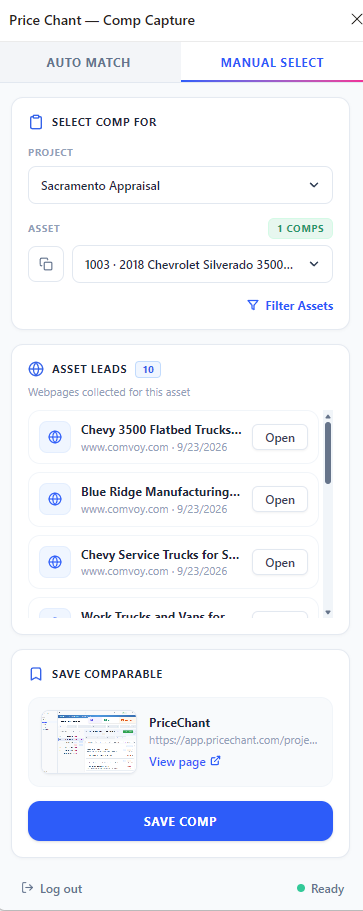
- Browser Extension: Capture a comparable from its source webpage and connect it to the appropriate project and subject asset, with auto-match and manual selection controls.
- AI Data Extraction: Parse webpage content for available sale details and specifications, automatically mapping comparable data to the subject asset's metadata fields.
- Source Evidence: Keep source URLs, page content, screenshots, and PDFs alongside each comparable for later review.
- Comp Review: Review subject and comparable data together, add notes, and select the comps that support the appraisal.
- Research Exports: Export structured Excel data and supporting evidence, with references connecting comparable records to their images and PDFs.
Architecture Notes
Analytics & Screenshots
What I Learned
- →Building Price Chant taught me a great deal about the appraisal industry, especially how subject assets, comparable research, specifications, and supporting evidence fit into an appraiser's daily workflow.
- →AI extraction is more useful when it follows the appraiser's data structure. Mapping listing details to the subject asset's metadata makes different source pages easier to compare and review.
- →A useful research workflow needs both structured data and its source evidence. Keeping the original page content, images, and PDFs connected to each comp gives the appraiser context for reviewing the extracted information.